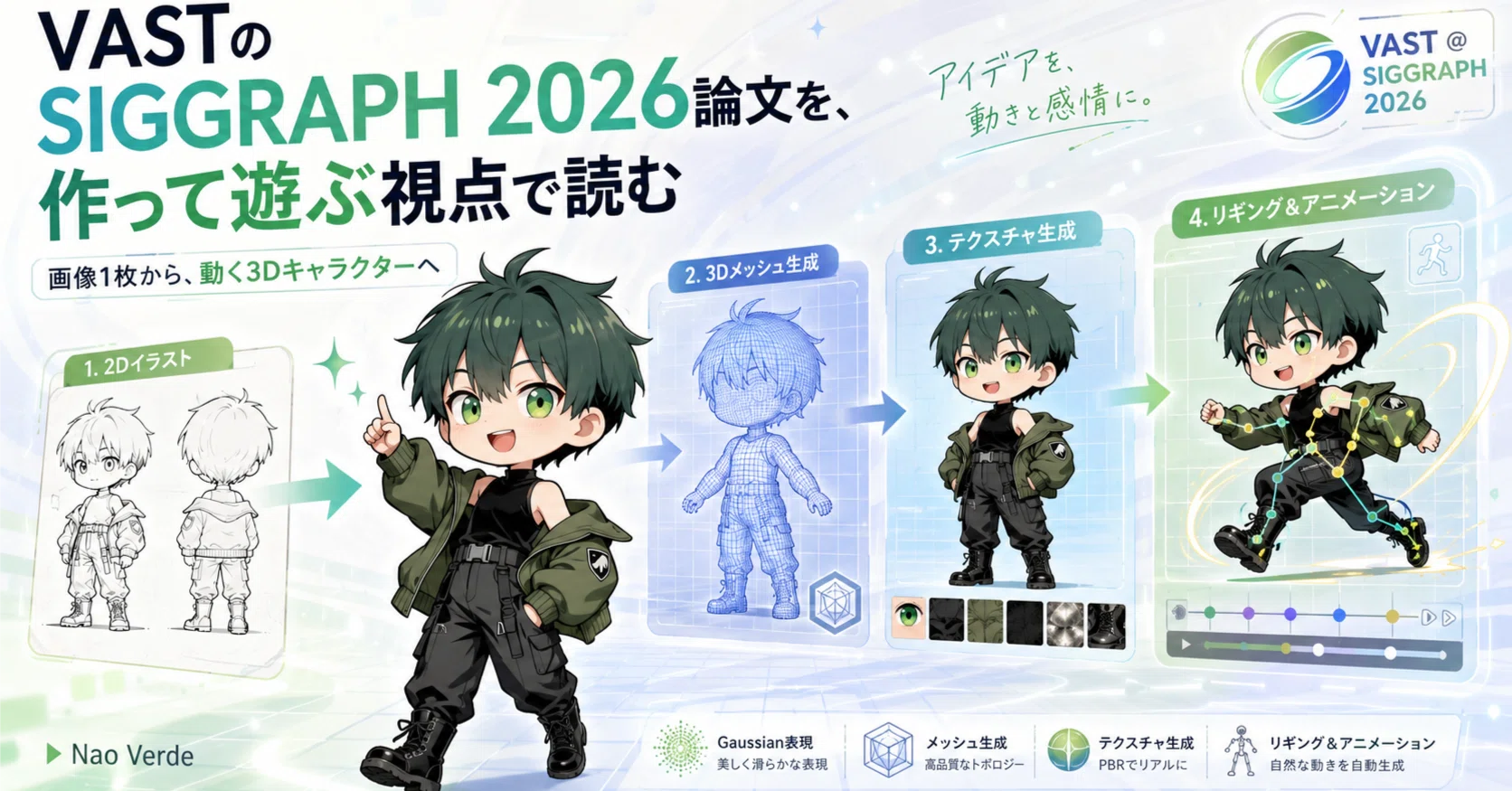
At SIGGRAPH 2026, held in Los Angeles from July 19 to 23, 2026, VAST, the research team behind the 3D generation service "Tripo AI," presented five Technical Papers.
Hello. I'm Nao Verde, responsible for music and development technology at AICU. When I read new generative AI papers, my first concern isn't just benchmark rankings.
What would be fun to create with this?
Can I make characters move? Can I create game props? Can I use it for live visuals? Can I view a single image I drew from different angles? At SIGGRAPH 2026, the world's largest international conference on CG/interactive technologies, held in Los Angeles from July 19 to 23, 2026, I focused on the research from VAST, the research team behind the 3D generation service "Tripo AI."
PixTex
Generative 3D Gaussians with Learned Density Control
Nexus
AniGen
TopoCap
Furthermore, at Real-Time Live!, a live system was demonstrated that generates 3D assets with textures, skeletons, and animation from images in seconds, introducing them into a shared space.(SIGGRAPH 2026 Conference Schedule)
Looking at the paper titles alone, they might seem a bit rigid.
However, if you rearrange the five papers from a "creator's perspective," they form this workflow:
Create a 3D object from a single image. Connect surface patterns. Turn it into an editable mesh. Add a skeleton. Animate it with your own performance.
While these are individual papers from top conferences, they actually look like a production process for a character to walk out of a single image.
Source URLhttps://s2026.conference-schedule.org/organization/?inst=4286161113463779637
First, I want to try TripoSplat, which turns images into "rotatable 3D objects"
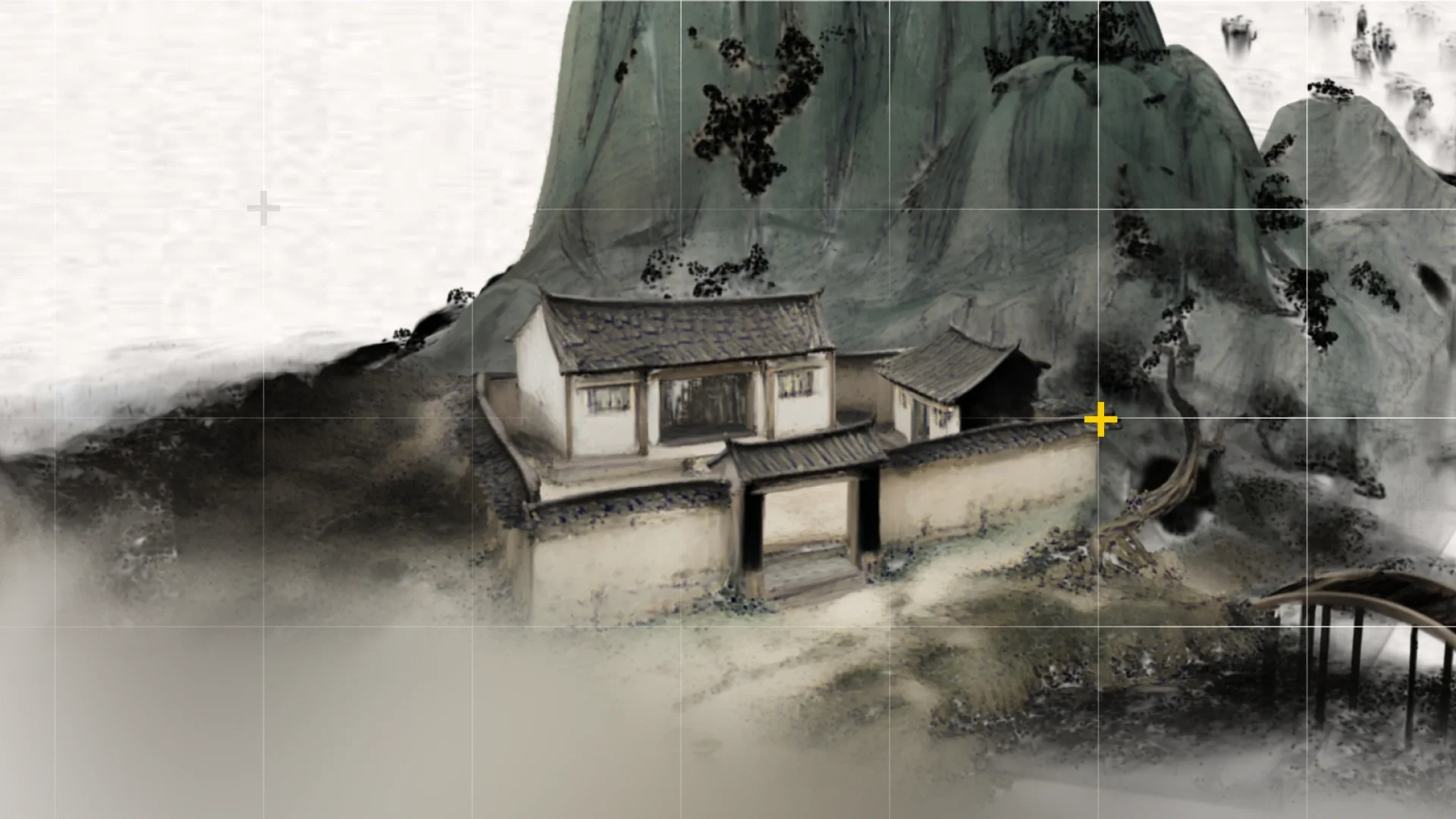
The first one I want to introduce is "Generative 3D Gaussians with Learned Density Control." VAST has released this research under the name TripoSplat. When you input a single image into TripoSplat, it generates the object depicted in that image as a 3D Gaussian that can be viewed from different angles. 3D Gaussians are slightly different from general polygon meshes.
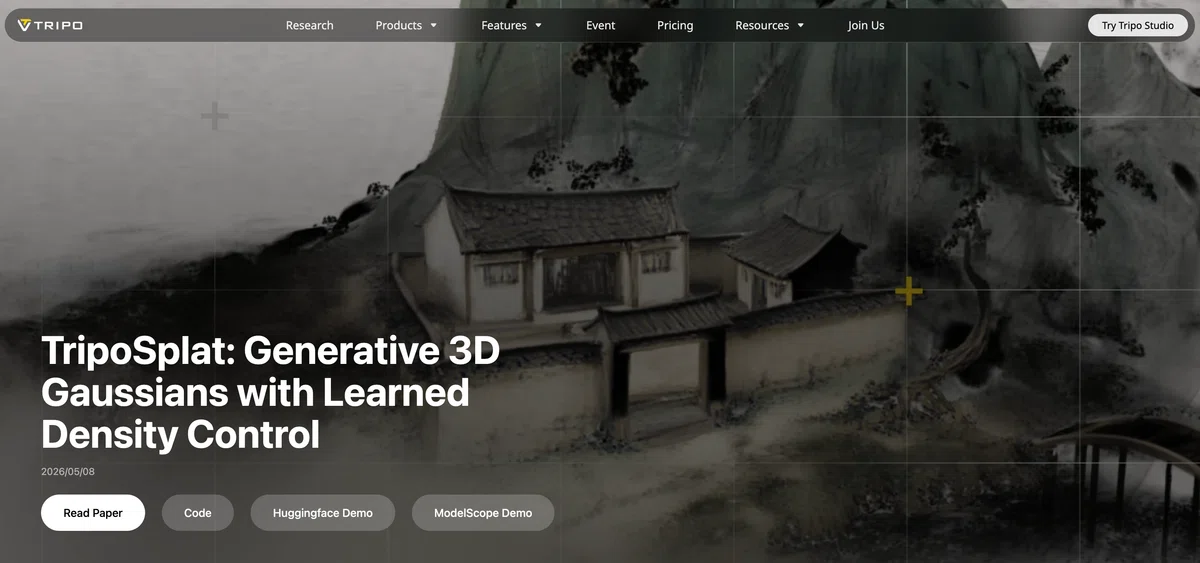
Instead of creating a 3D object with vertices and faces, it expresses the appearance of a 3D object with numerous particles that have position, color, size, and transparency. Its appeal lies in its ability to preserve fine textures found in photos and illustrations and to render quickly.
What's interesting about TripoSplat is that it doesn't place particles with the same density everywhere. It places more in detailed areas like faces and decorations, and fewer on simple surfaces. Since the number of Gaussians can be varied during generation, you can create both a light preview version and a detailed display version from the same image.(Tripo 3D)
If I were to use it, I'd turn jacket images into small 3D music videos
For example, I'd input a mysterious radio, a clock, a mascot, or a fictional instrument drawn on the jacket of an original song into TripoSplat. Then, I'd slowly rotate the generated 3D, add lighting and cameras, and create a 10-second loop video. There's no need to create a perfect 3D model. Just adding a little depth to a motif that was once a flat image can expand it into a teaser for social media, a live background, or an album visualizer. TripoSplat's code and pre-trained models are released under the MIT license, and a demo is available on Hugging Face. Official support for ComfyUI is also announced.(Tripo 3D)
Links to get started
Project explanation https://www.tripo3d.ai/research/triposplat
Paper https://arxiv.org/abs/2605.16355
GitHub
https://github.com/VAST-AI-Research/TripoSplat
Hugging Face demo
https://huggingface.co/spaces/VAST-AI/TripoSplat
VAST GitHub
https://github.com/VAST-AI-Research
Source URL
TripoSplat's weights and inference code are fully open-sourced under the MIT license. It was intentionally designed with a lightweight and clean codebase, consisting of only two main files (approximately 2,000 lines of code). Particularly important is its near-complete reliance on native PyTorch, with minimal use of external frameworks (such as Transformers or Diffusers) that often cause version management issues. Furthermore, thanks to the immense efforts of Comfy Org, TripoSplat has been supported by ComfyUI from its initial release, making it the first 3D Gaussian generator officially supported in the ComfyUI ecosystem.
With AniGen, "bones" are born within a single image
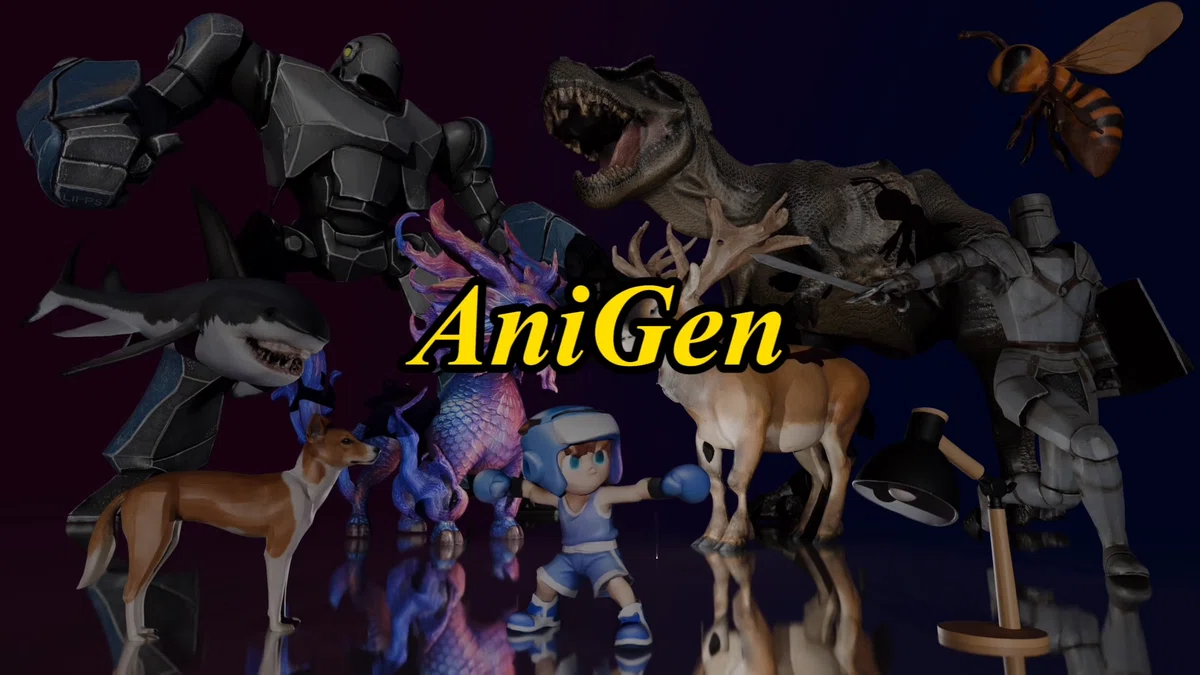
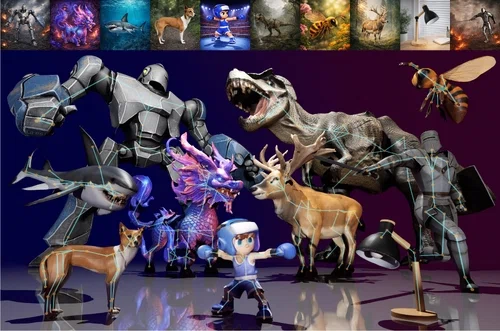
Next, I was interested in AniGen: Unified S³ Fields for Animatable 3D Asset Generation. Models that create 3D from regular images basically generate shapes. However, to animate a character, that alone is not enough. You need to put a skeleton inside the body and set which part of the surface is pulled by how much when a certain bone moves. This process is called rigging.
AniGen generates 3D shape, skeleton, and skinning weights all together from a single image. By treating these three elements—Shape, Skeleton, and Skin—as common spatial representations called "S³ Fields," it aims to generate 3D as an animatable body from the start, rather than pushing bones into a shape after it's created. Multiple types of examples are included, such as animals, humanoid characters, machines, and articulated objects.(Yihua7)
AniGen: Unified S³ Fields for Animatable 3D Asset Generation
yihua7.github.io A unified framework for animatable 3D asset generation from s

If I were to use it, I'd want to animate instruments that don't exist in reality
For example, I'd draw a synthesizer with legs, a speaker that opens like a flower, or a fictional sound machine that sways its body when played, all as single images. Then, I'd convert them into skeleton-equipped 3D models with AniGen and apply existing motions to those skeletons. While animating humanoid characters is appealing, AniGen's public examples also include subjects like mechanical arms, plants, and mechanical dogs. This means you can give body to inanimate objects and play with how they move, rather than just "making characters move like humans."
After generation, mesh.glb including the rig and skeleton.glb for skeleton confirmation are outputted. It is assumed that these can be loaded into standard 3D production environments and animated with existing motion data. A local environment requires Linux and an NVIDIA GPU with 18GB or more VRAM, with operations confirmed on RTX 3090 and A800(GitHub). Even without a GPU environment, you can try inputting images from the Hugging Face Spaces demo.
Links to try AniGen
Project page https://yihua7.github.io/AniGen_web/
Paper https://arxiv.org/abs/2604.08746
GitHub https://github.com/VAST-AI-Research/AniGen
Hugging Face demo https://huggingface.co/spaces/VAST-AI/AniGen
SIGGRAPH 2026 presentation page
https://s2026.conference-schedule.org/presentation/?id=papers_218&sess=sess121
PixTex becomes effective when a character turns around
When working with 3D generation models, it's common for patterns to break when a character turns from a clean front view to a side or back view.
The shirt line disappears at the armpit.
Facial patterns proliferate on the opposite side.
The color of the front hair doesn't connect to the back of the head.
These phenomena might look natural in a single image, but they are problematic for a 3D object.
PixTex: Consistent 3D Texturing via Pixel-Space Multi-View Diffusion addresses this texture consistency across multiple views.
PixTex handles multiple views simultaneously in pixel space, rather than in a heavily compressed latent space. By generating incrementally from coarse to fine resolution, it creates textures that connect across views while preserving correspondence with the shape. The SIGGRAPH presentation abstract describes it as the first multi-view diffusion texture generation framework using pixel space.(SIGGRAPH 2026 Conference Schedule)
I'd like to try it with costume designs and character marks
What I'd like to try is characters with graphics on their costumes or bodies.
Asymmetrical jackets, patterns connecting from sleeves to back, glowing lines that encircle the body, paint extending from face to neck.
These designs can be drawn as a front image. However, when converted to 3D, it's difficult to connect them to the back.
If technology like PixTex were integrated into production tools, the process of adjusting patterns by rotating a character after transferring a single design drawing to 3D could change significantly.
As of July 2026, the main public access points I could confirm were the SIGGRAPH presentation page, author pages, and presentation videos. At this stage, it's less of a tool anyone can install and use, and more research to follow to see how it will be integrated into Tripo's texture features.
Links to follow PixTex
SIGGRAPH 2026 presentation page
https://s2026.conference-schedule.org/presentation/?id=papers_668&sess=sess112
First author Yuqing Zhang's page
https://zzzyuqing.github.io/
Related Tripo AI Texturing
https://www.tripo3d.ai/features/ai-texturing
Nexus is a bridge from "visible 3D" to "editable 3D"
When you load a model generated by 3D generative AI into Blender and try to tweak its shape slightly, you sometimes encounter the complexity of polygons.
The object looks 3D, but the connections of vertices and faces are not suitable for editing.
Nexus: Native Mesh Generation with Diffusion is a research on generating polygon meshes themselves with diffusion models.
Traditional mesh generation methods have converted vertices and faces into a long one-dimensional sequence and generated them sequentially.
Nexus separates the generation of vertex positions from how vertices are connected to form faces. It creates vertices from a coarse structure to a fine structure, and then generates the overall connectivity, thereby handling complex triangular meshes.(arXiv)
I'd like to "nurture" oddly shaped props in Blender
Even if generative AI produces interesting shapes, they aren't necessarily finished products.
However, if we can receive them as editable meshes, humans can continue working on them.
Rounding corners slightly.
Making holes.
Separating parts.
Adding handles.
Combining with other generated objects.
I would generate fictional instruments, in-game items, stage devices, or mechanical accessories, and then modify them in Blender.
AI doesn't produce finished products; it provides materials that humans want to touch.
I feel that's where Nexus's value lies.
Currently, it's primarily a paper and not released as a general-purpose generation tool. However, it's a research worth watching when considering the future of Tripo's low-polygon generation and Smart Mesh.
Links to read about Nexus
Paper
https://arxiv.org/abs/2607.13563
SIGGRAPH 2026 presentation page
https://s2026.conference-schedule.org/presentation/?id=papers_808&sess=sess121
Hanxiao Wang's research page
https://hanxiaowang00.github.io/
Tripo API 3D generation model list
https://platform.tripo3d.ai/docs/generation
With TopoCap, you can transfer your performance to a "non-human body"
The last paper is TopoCap: Learning Topology-Agnostic Motion Priors for Monocular Video-to-Animation.
Technology that transfers motion from a smartphone video of a person to a 3D character already exists.
However, most systems assume a fixed skeleton, such as one for humans and one for quadrupeds, for instance.
TopoCap aims for motion transfer that transcends differences in skeletal structures.
It can transfer motions extracted from monocular videos not only to bipedal characters but also to quadrupeds, hexapods, and even unknown skeletons including inanimate objects.
To achieve this, a dataset called "Mobjaverse" has been built, containing over 5,000 skeletal structures and approximately 2 million frames.(SIGGRAPH 2026 Conference Schedule)
If I were to use it, I'd film my own Yokai performance
For example, suppose I create a character with four arms.
I would dance, express surprise, or play an instrument in front of the camera myself.
Then, transfer that motion to the four-armed character.
If we can transfer the "feeling of the performance" according to the character's body structure, rather than just copying human-like movements, the entry point for character animation would change significantly.
Create a skeleton-equipped character from a single image with AniGen, and then transfer your own performance with TopoCap.
While these two cannot yet be directly connected with a single click, the research direction is quite an exciting combination.
With a single image of an original character and a video of your own performance, a future where you can proceed to 3D animation prototyping becomes visible.
Links to read about TopoCap
Paper
https://arxiv.org/abs/2606.12153
SIGGRAPH 2026 presentation page
https://s2026.conference-schedule.org/presentation/?id=papers_934&sess=sess105
Mobjaverse dataset
https://huggingface.co/datasets/duckduckplz/Mobjaverse
Cheng-Feng Pu's research page
https://czpcf.github.io/
What Real-Time Live! revealed: Where the 5 papers connect
At SIGGRAPH 2026's Real-Time Live!, VAST presented "Create Interactive 3D Assets in Seconds!", where audience members sent input from their smartphones.
The system generated 3D assets with textures, skeletons, and animation from images. The completed characters then entered a shared animation space on the spot, appearing alongside assets created by other participants.(SIGGRAPH 2026 Conference Schedule)
This is what's interesting. It wasn't a demo of creating a single finished 3D character over weeks. Participants input. It becomes 3D. It starts moving. They gather in the same space. 3D production is moving from a one-way process like sculpting to a real-time experience like playing a musical instrument.
Title and description from the official SIGGRAPH page, or live demo photos posted on the official VAST event page.
Source URL

VAST SIGGRAPH 2026 special page
https://www.tripo3d.ai/tripo-siggraph-2026.html
If you're playing this weekend, start with a single original image
You don't need to try all five at once. I would first prepare a single original image where I manage the rights myself. Make the background as simple as possible so that the outline of the object you want to make 3D is clear. If it's a character, choose a pose where arms and legs don't overlap too much with the body. First, put it into TripoSplat and observe how the image is interpreted as a 3D object.
Next, put the same image into AniGen and check how the skeleton is generated.
Instead of seeking the correct answer, observe:
"Where did the AI think the body was in this picture?"
"Where did it find joints?"
"How did it imagine the unseen back?"
If unexpected results appear, redraw the original image.
Change the silhouette.
Make joints more visible.
Reduce ornamentation.
Create an image from a slight angle, not just frontal.
This back-and-forth process itself will become a new method of character design.
Papers are not finished products of the future, but instruments of the future
When reading SIGGRAPH papers, one tends to think, "Can this be immediately used in a professional production environment?"
However, for creators, that's not the only point of contact.
Using rough technology to create visuals that couldn't be made before.
Coming up with new characters from strange failures.
Rotating a single image.
Adding bones to inanimate objects.
Transferring your own performance to a fictional creature.
TripoSplat opens the door to viewing images as 3D objects. PixTex aims to make that 3D object appear consistent from any direction. Nexus is moving closer to a form that humans can edit further. AniGen creates a skeleton within the 3D object. TopoCap delivers motion to that skeleton.
VAST's five papers presented at SIGGRAPH 2026 are not solving the exact same problems.
However, from a creator's perspective, they form a single workflow.
From a single image, a 3D object is born, gains a body, and begins to move with our performance.
There's no need to wait for a finished future. Start by touching what's tangible and try to create works that don't yet have a name. Papers are blueprints, but also instruments that arrive a little early.
Key Links
VAST's SIGGRAPH 2026 presentation list
https://s2026.conference-schedule.org/organization/?inst=4286161113463779637
VAST AI Research
https://www.tripo3d.ai/research
VAST GitHub
https://github.com/VAST-AI-Research
Tripo Studio
https://studio.tripo3d.ai/
Tripo API
https://developers.tripo3d.ai/
ComfyUI-Tripo
https://github.com/VAST-AI-Research/ComfyUI-Tripo